How to Reset the Password
Few Steps to Reset the password,
Step1: Click on the "Login" button then Enter the organization mail id in the mail Email field and click on "Continue" button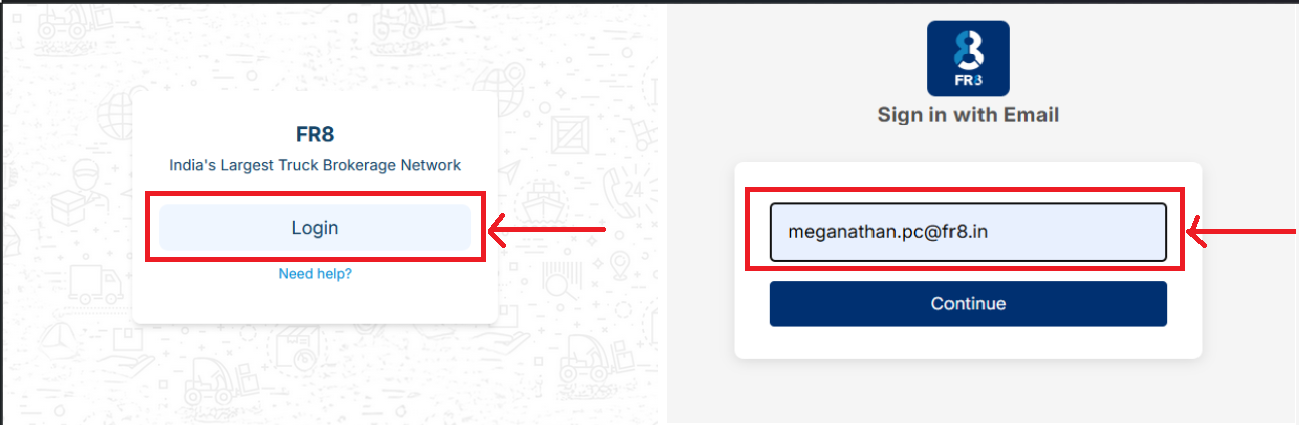
Step2:Click Forgot Your Password? option and verify the personal mail-id which was registered in organization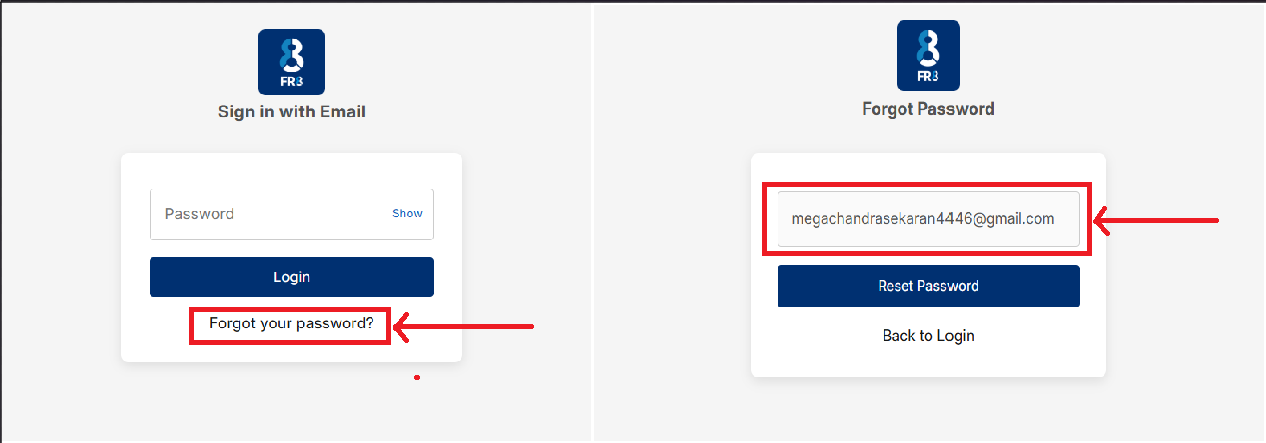
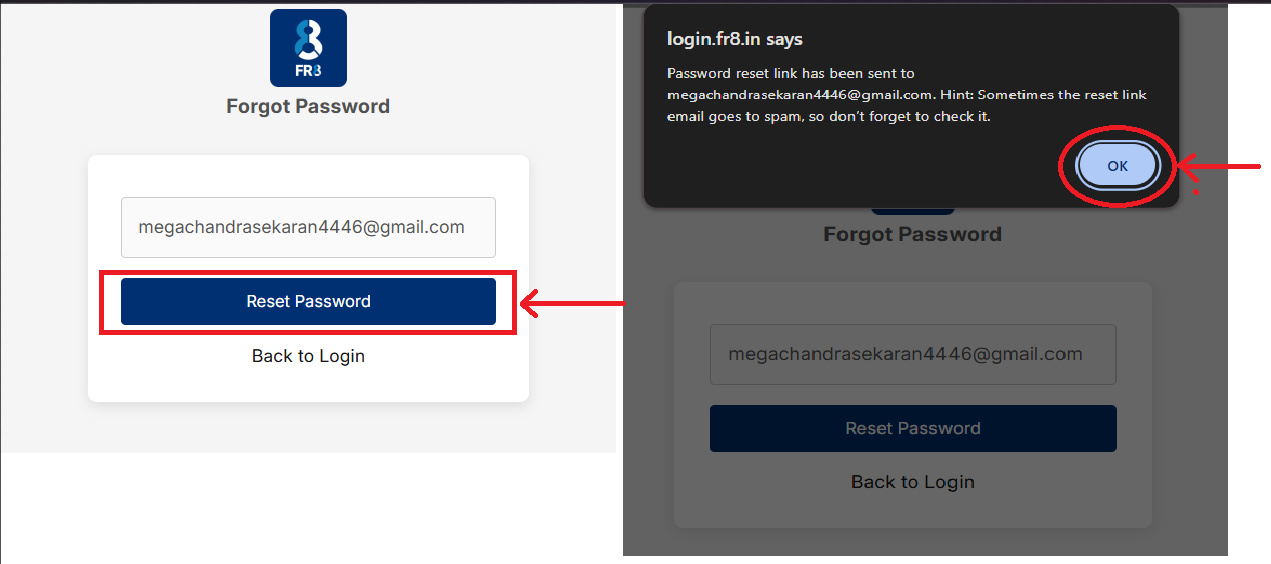
Step3:click on "Reset Password" Button.
Click "OK" On the pop up notification(Password reset link has been sent to "registeredwithorganizationmail"@gmail.com. Hint: Sometimes the reset link email goes to spam, so don’t forget to check it.)
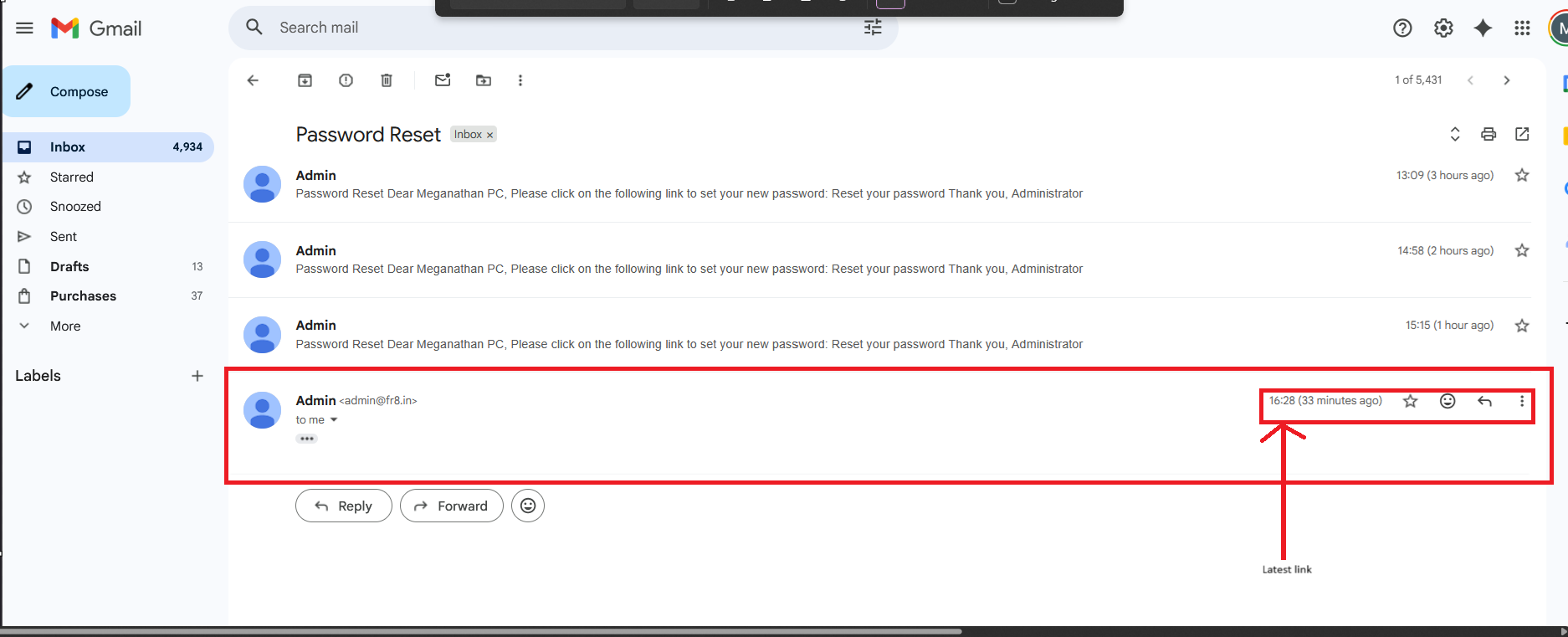
Step4:Go to Gmail and refresh the mail to view the latest mail from Admin.fr8.in and open the latest mail and if your resetting the password for 1st time, there will be single link to reset the password, otherwise multiple links are present

Step5: So, Click on the latest link with timestamp(Note:if you click on the old link and set password will show error as "The reset password link has either been used before or is invalid")
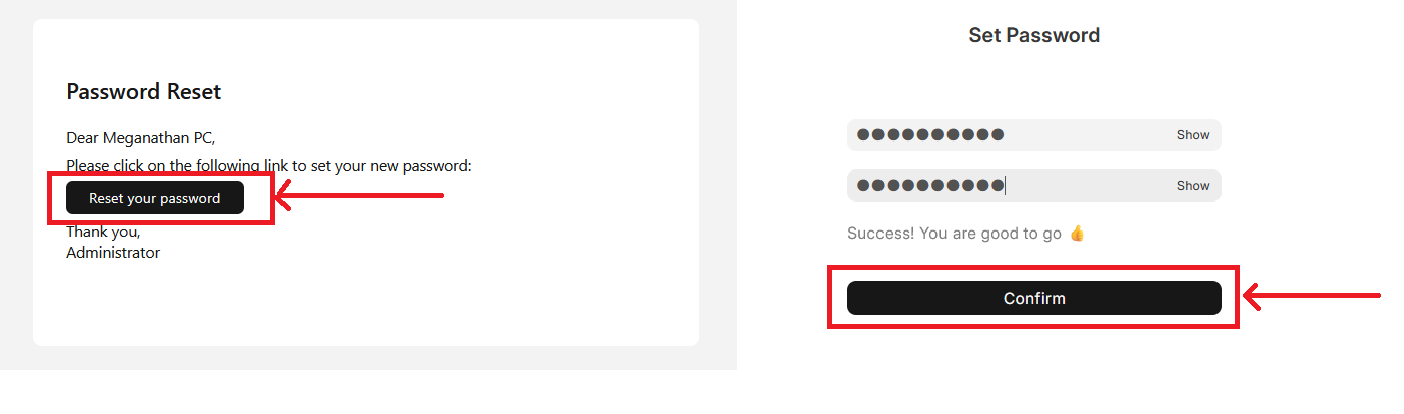
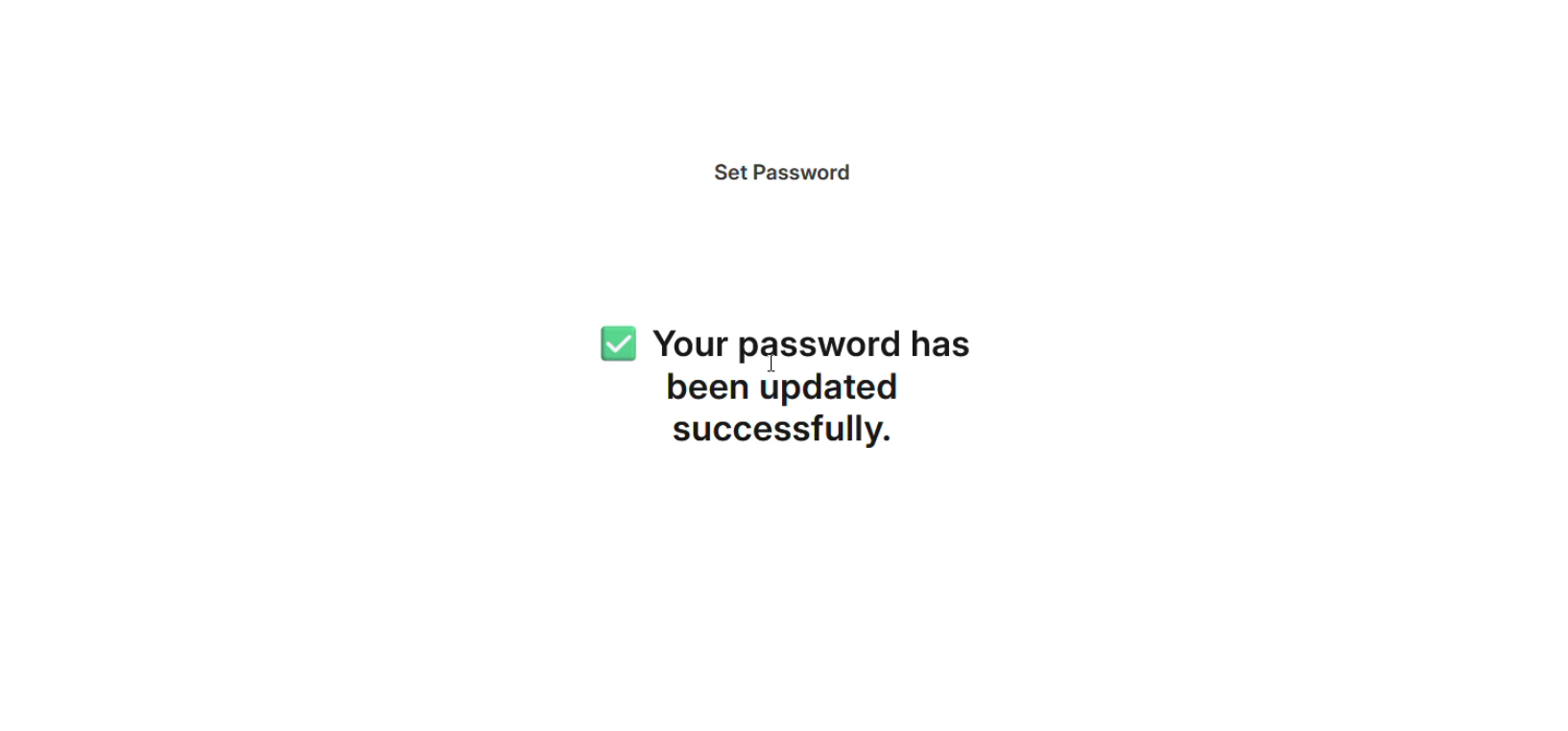
Step6:Click on the "Reset Your Button" and enter New password and Confirm the New password(enter strong password) to reset the password
URL for Videos:https://drive.google.com/file/d/1lSakhYOTFs_BfC_t6tJ3R7_A0CmMV4HZ/view?usp=drive_link